Yes, okay, in DevOps we distinguish between deploying and releasing. A release is essentially just pushing a button to make a feature available to users. But even with two deployments per year, I still have to wait patiently for feedback.
In DevOps, we want short and established feedback loops to resolve problems arising from errors or differing understandings as they occur. This is not only common sense, but also the three paths of DevOps:
- First approach: Systemic thinking and enabling a continuous, rapid flow – from idea to customer
- Second approach: Strengthen feedback loops
- Third way: Establish a culture of continuous experimentation and learning
The emergence and recognition of problems can be delayed. If a misunderstanding arises during a discussion, it can easily take days, weeks, or even months before we recognize the misunderstanding (if at all).
In order to build software and products that meet our quality standards, it is therefore crucial to implement mechanisms that support the rapid detection of problems.
There are many methodological and technical possibilities for this, such as:
But the very best option is:
Cooperation!
GitLab Review Apps
How it works
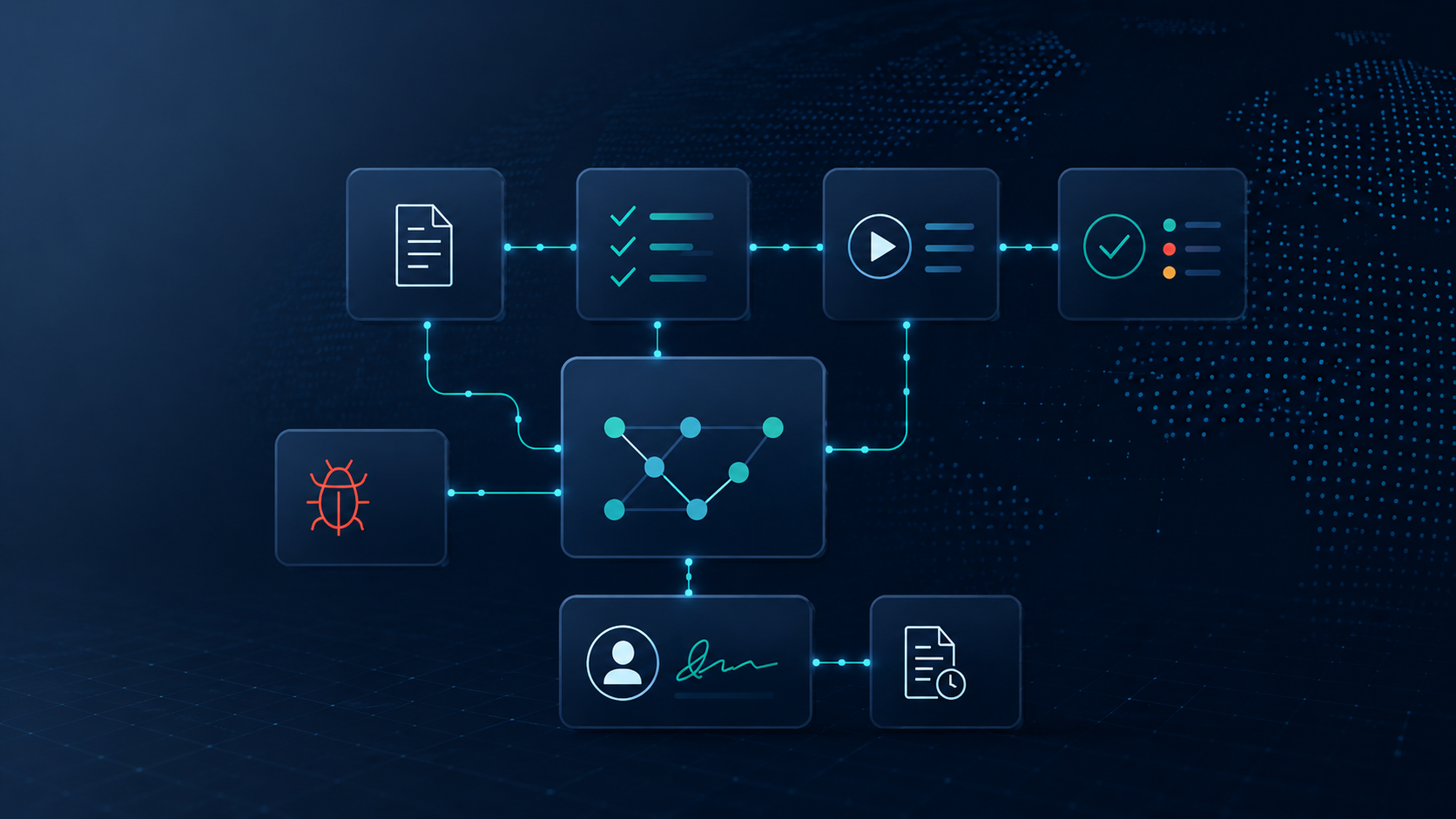
And this collaboration is precisely what GitLab Review Apps are all about. They are designed to promote collaboration between development, business departments, and customers, and to shorten the feedback loop.
GitLab Review Apps are deployments directly linked to a merge request (GitLab's version of a pull request). Merge requests also create a feature branch. Once you commit a change to the feature branch, GitLab (provided the automated tests were successful) deploys the feature branch to its own (dynamic) environment.
Afterwards, you have the opportunity to test the change on the dedicated environment, provide feedback, and immediately test any necessary corrections again. A feedback loop can hardly be shorter.
Once the change has been approved, GitLab merges the changes of the feature branch with the master branch, cleans up the dynamic environment, and closes the merge request.

Advantages
- Early detection of errors and misunderstandings
allows changes to be verified immediately by experts or customers. - Collaboration across borders:
Using the merger request as a basis, people from different departments/teams/companies and with different skills work together. - Reducing Release Risk:
Knowing about features that have already been tested reduces the risk of errors when the master branch is deployed or released. - Continuous testing:
New features and changes are continuously tested and verified both automatically and manually. This eliminates the need for time-consuming and frustrating testing during shortened test phases.
Requirement
Your app should be a web application, and you need the infrastructure on which the review apps will be deployed. This includes a Kubernetes cluster.
What you don't need is money (at least not for GitLab licenses). Review apps are available at all license levels – from Free to Ultimate.
The easiest way is via the (also very noteworthy) Auto DevOps feature. When Auto DevOps is enabled, GitLab recognizes your programming language and, based on this and using templates default pipelines to build and test the app.
By the way: The Auto DevOps configurations can be adapted to your own needs.
Quick guide to the minimum requirements:
1. GitLab Saas or GitLab onPrem (e.g. via our managed GitLab hosting)
2. A GitLab project (repository)
3. Kubernetes cluster with Ingress
4. GitLab Agent in Kubernetes Cluster
5. In the project settings → CI/CD → Variables
- KUBE_CONTEX Variable with value
- KUBE_INGRESS_BASE_DOMAIN variable with IP address on your Kubernetes cluster
6. Activate Auto DevOps in your GitLab project
Hands-on
Let's take a look together at what it looks like after the work is done.
In GitLab, I create a new project based on the NodeJS Express template. This gives me a minimal web application.

First, I activate Auto DevOps in the CI/CD settings of the new project.

GitLab then creates a pipeline for the master branch. Here we can already see the various jobs created by Auto DevOps for testing my application.

After the “production” job has successfully deployed the app to my Kubernetes cluster (in this example, in the Google Cloud), I can access the app.

Now we want a better title. For this purpose, I'm opening an issue in the project. Issues in GitLab are used to plan changes and can also be displayed on boards and roadmaps.

Based on the issue, I'm creating a new merge request. The necessary changes will be made in the merge request. As you can see in the following image, GitLab is creating a new feature branch, "1-change-title".

I open the web IDE integrated into GitLab for the code change on the merge request.

I change the title (index.js) to “Review Apps are cool!!” and the test case (test.js), which tests the correct playback of the title.

After the change is committed, the pipeline assembled by Auto DevOps runs on the feature branch. GitLab created a separate job for my test.js file. The review app is deployed in the "review" job.

After the job “review” has been successfully completed, I see a button on the Merge Request to view the Review App.

A quick look at our Kubernetes cluster shows that in addition to the production environment, we now also have a “review-1-change” environment running.

Clicking the “View App” button opens the Review App with my changes (here with two exclamation marks in contrast to the code above, because something was still wrong with the Kubernetes cluster and I had to commit something again)

Everything looks as expected, so I'm now merging the merge request into the master branch. After clicking the corresponding button on the merge request (Mark as ready → Merge), the feature branch pipeline first cleans up the review app environment (i.e., shuts it down) before the changes are merged into the master branch.
The master pipeline is already ready (see image below) and will be started by GitLab as soon as the cleanup is complete.

After the master pipeline has merged the changes and deployed them to production in the Kubernetes cluster, our modified app is in production.

A look at our Kubernetes cluster shows that only the production environment is still running and the review app is no longer active.

Summary
GitLab's review apps shorten the feedback loop between different stakeholders, helping us identify and resolve problems early on. This, in turn, improves the overall product quality.
If you have any questions about Review Apps, Auto DevOps or GitLab, please feel free to contact us.
Your
Beni